01
Making good lectures takes days
Slides, diagrams, voice-over and editing for a single topic eat a teacher's week.
→ A narrated, animated video from one PDF in minutes — script editable first.
Final Year Project · AI teaching assistant for universities
SmartStudy writes a scene-by-scene script from your notes and renders a narrated, animated lecture video — then checks real attention through the webcam and builds a learning path for every student.
Student? Watch your lessons on a computer — scan the QR code with the SmartStudy app, no password needed.
Built with production tools
The SmartStudy story
Lecture notes, slides or a textbook chapter — the only thing a teacher has to bring.
Script, voice, animated diagrams, traced algorithms and an avatar — rendered in minutes.
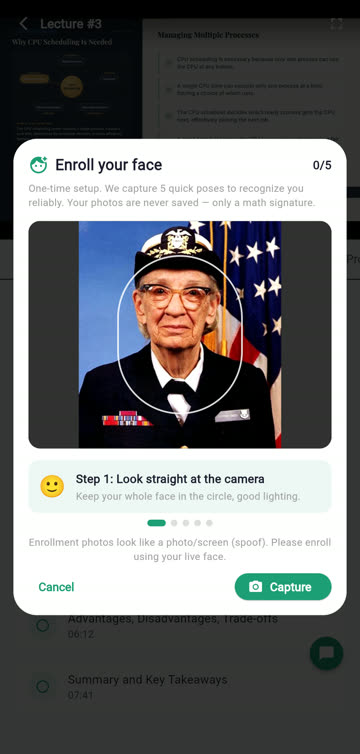
Face, gaze, identity and anti-spoofing turn "played" into verified attention.
Knowledge tracing lifts every student along their own path — and warns early.
Why SmartStudy
Slides, diagrams, voice-over and editing for a single topic eat a teacher's week.
A video playing in another tab counts as attendance on most platforms.
By the time results are announced, the semester is over.
How it works
A PDF, slides exported to PDF, or pasted text. Scanned pages are read with OCR.
The engine finds topics, tables, code and diagrams, checks the script against the PDF and adds learning outcomes, pause-and-think questions and a common-mistake scene.
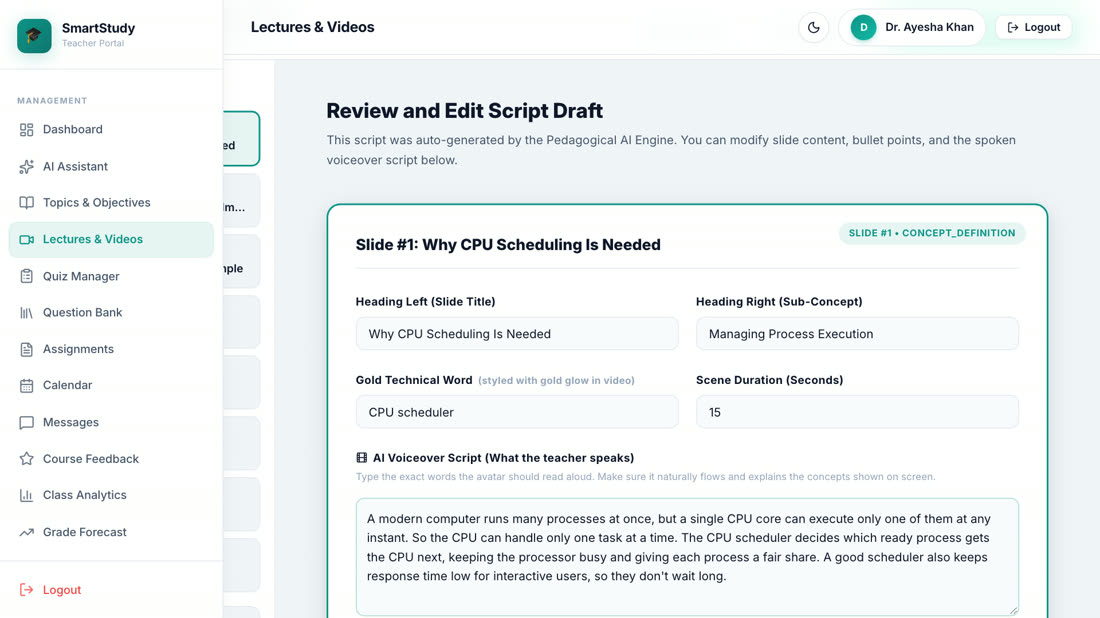
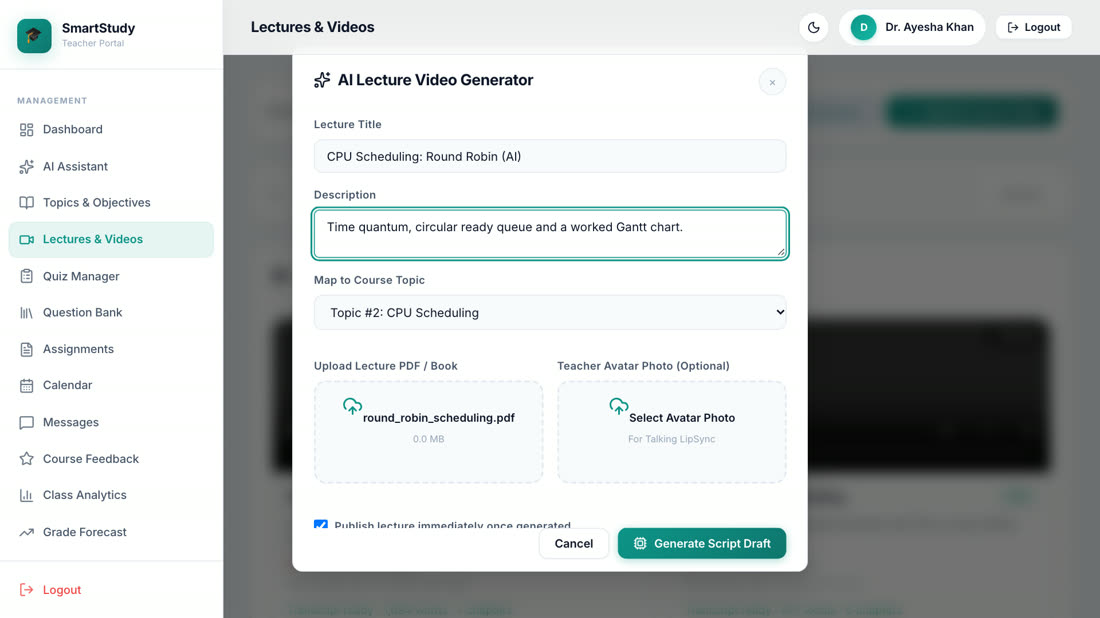
Every scene's heading, bullets and voice-over are editable. It is written in the background and saved to your account, so nothing is lost.
Slides, animated diagrams, step-by-step algorithm traces, a neural voice, a talking avatar and captions — joined into one MP4.
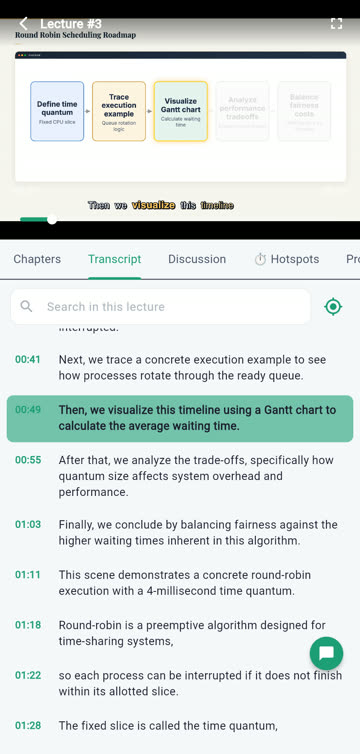
Chapters, transcript, notes PDF and a quiz arrive with the video. Attention and mastery flow back to you.
AI lecture videos
Every video is planned like a real class: what you will learn, the idea, a worked example traced step by step, a common mistake, and a self-test at the end.
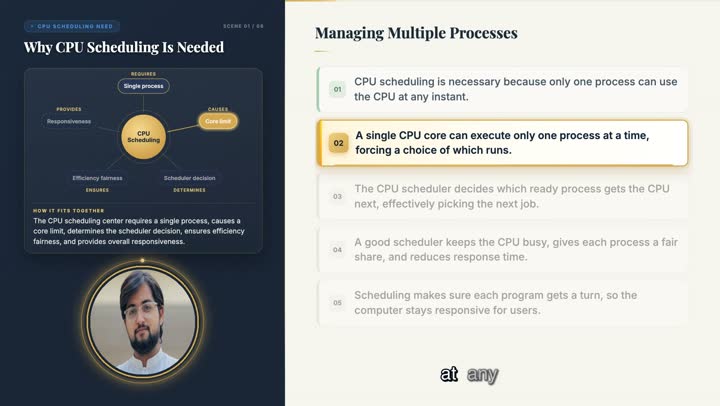
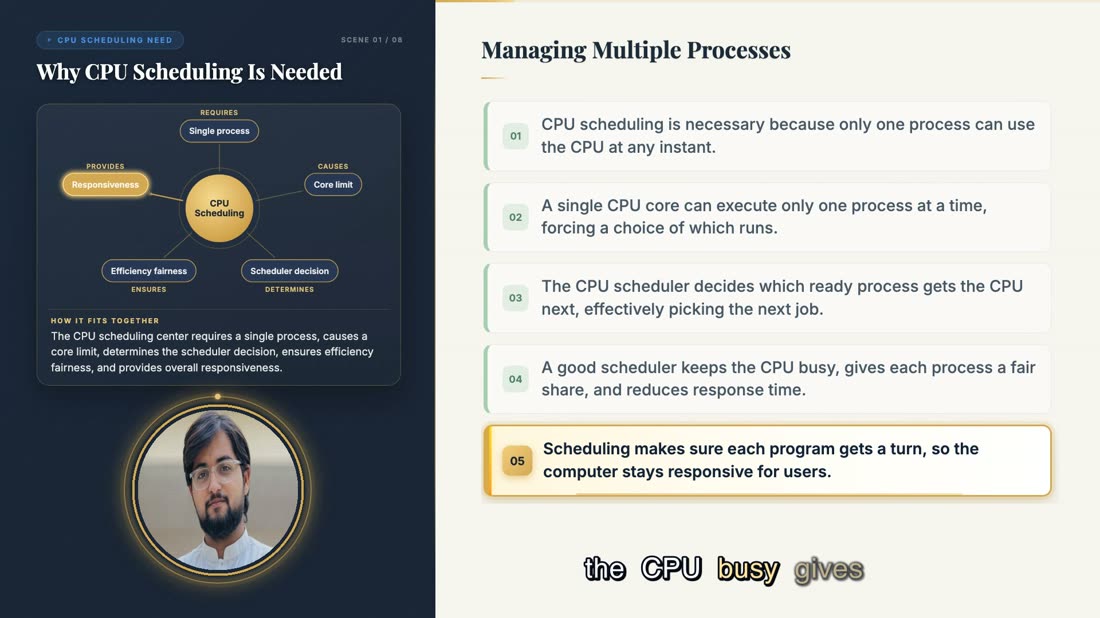 Concept map follows what the teacher says
One point at a time lights up as it is spoken
Talking avatar from one teacher photo
Captions taken from the script, word-timed
In motion
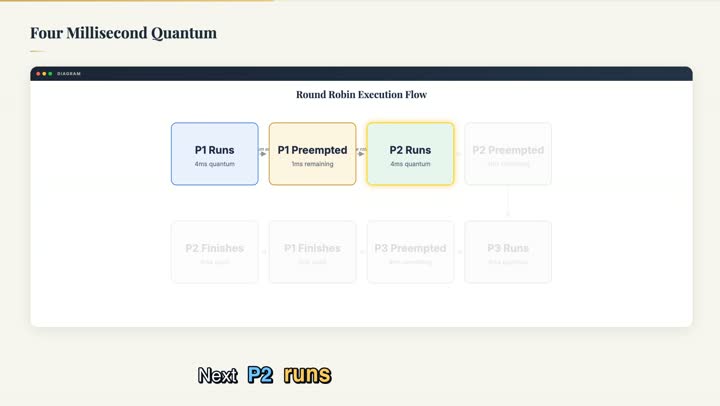
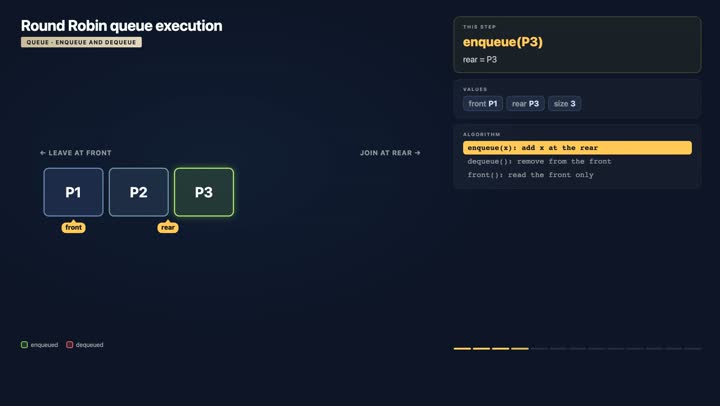
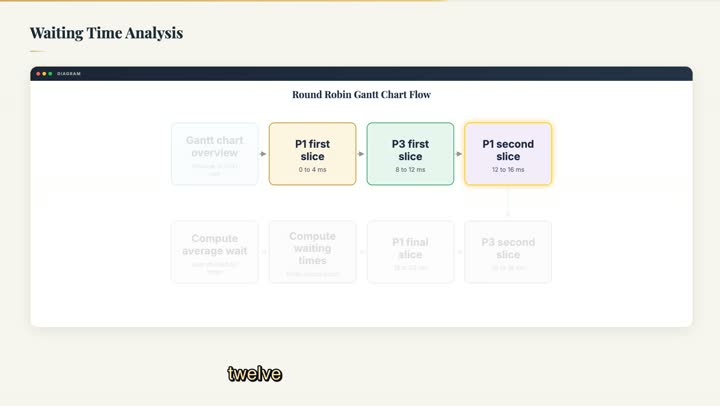
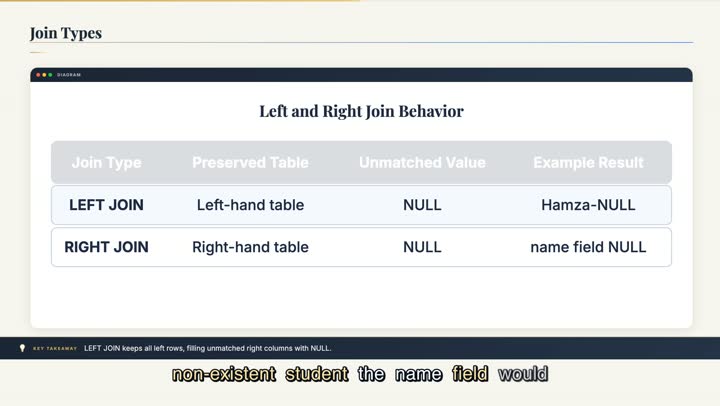
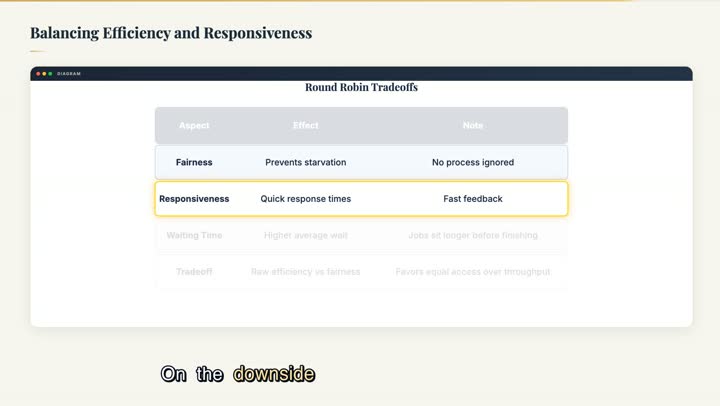
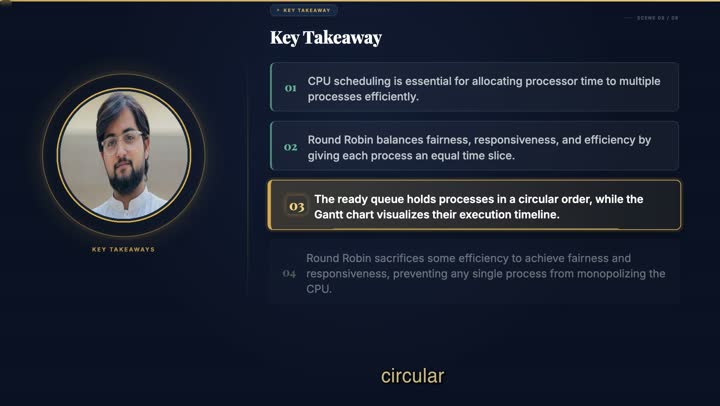
Nothing here is a mock-up: these are seconds cut from Round Robin Scheduling, a lecture the system wrote and rendered from a PDF.
Dijkstra, sorting, binary search, stacks and queues, linked lists, AVL and BST trees — every step computed, never guessed. Even a graph written only in words becomes a trace.
Python, C, C++ and Java examples are executed and the variables are shown line by line, exactly as the program changed them.
The video asks a question, waits silently with a countdown, then answers — and ends with a self-test instead of a bullet recap.
One scene shows the error students really make, what goes wrong because of it, and the rule that avoids it.
Natural neural voices, with right-to-left Urdu captions or Roman Urdu captions — sentence for sentence with the English script.
Chapters per scene, an exact transcript from the script (no speech recognition needed) and a printable notes PDF — all made with the video.
Large readable type, speech normalised to −16 LUFS and files about six times smaller — plus 480p and 240p copies for weak connections.
A reviewer scores every scene against the source material and repairs claims that the PDF does not support, before you ever see the script.
Frames from generated lectures
Webcam attention monitoring
While a lecture plays, the camera checks four things every few seconds. Only the scores are kept — never a single image.
Minute 5–6 dipped while "Shortest-Job-First" was explained — the teacher can add a quiz or re-render that scene in one click.
Adaptive learning
Bayesian Knowledge Tracing estimates how well each student knows each topic, after every quiz and drill. Everything else builds on that number.
Knowledge tracing per topic, updated after every attempt.
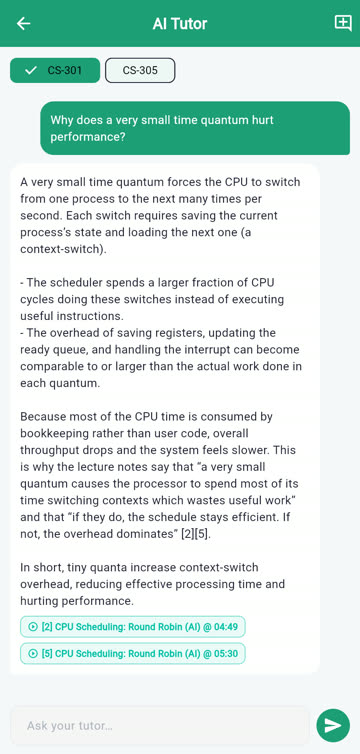
Answers only from the teacher's own material and cites the page — in English, Urdu or Roman Urdu.
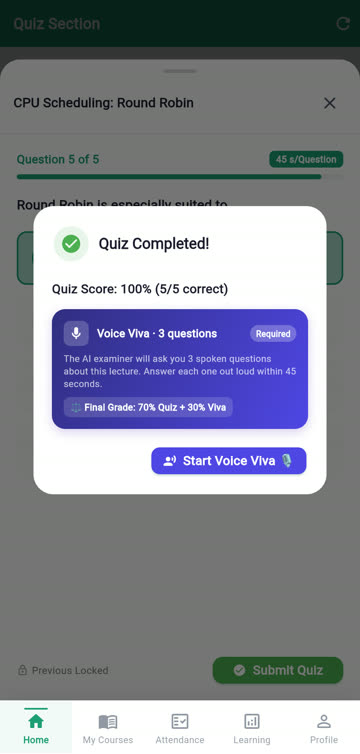
Three spoken follow-up questions after a quiz confirm real understanding.
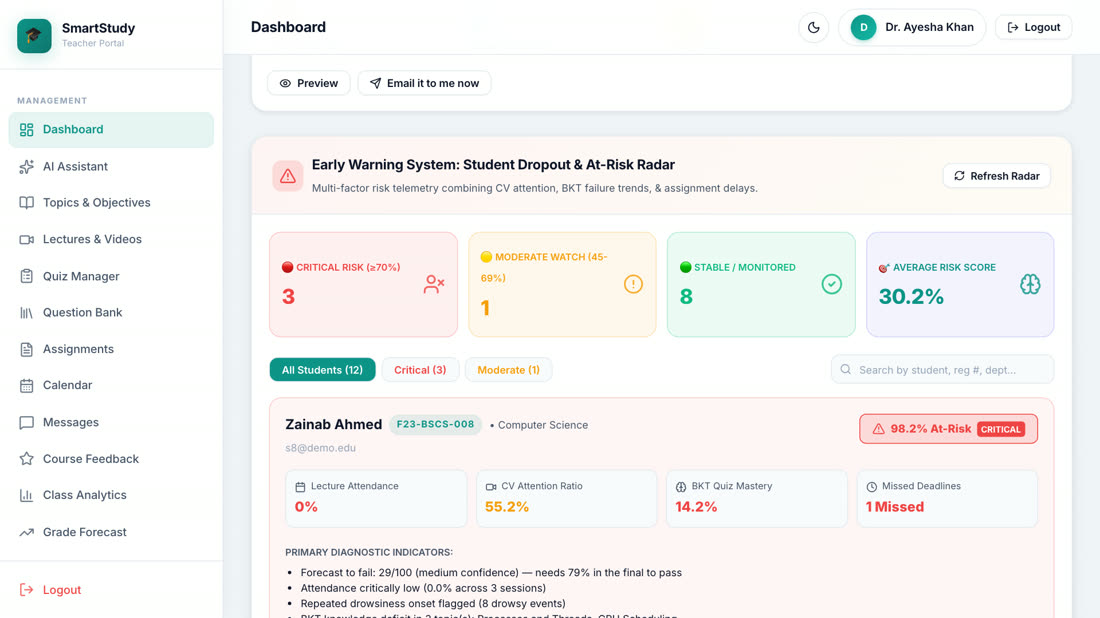
Attendance, attention, mastery and missed deadlines combine into a risk score — with the reasons spelled out.
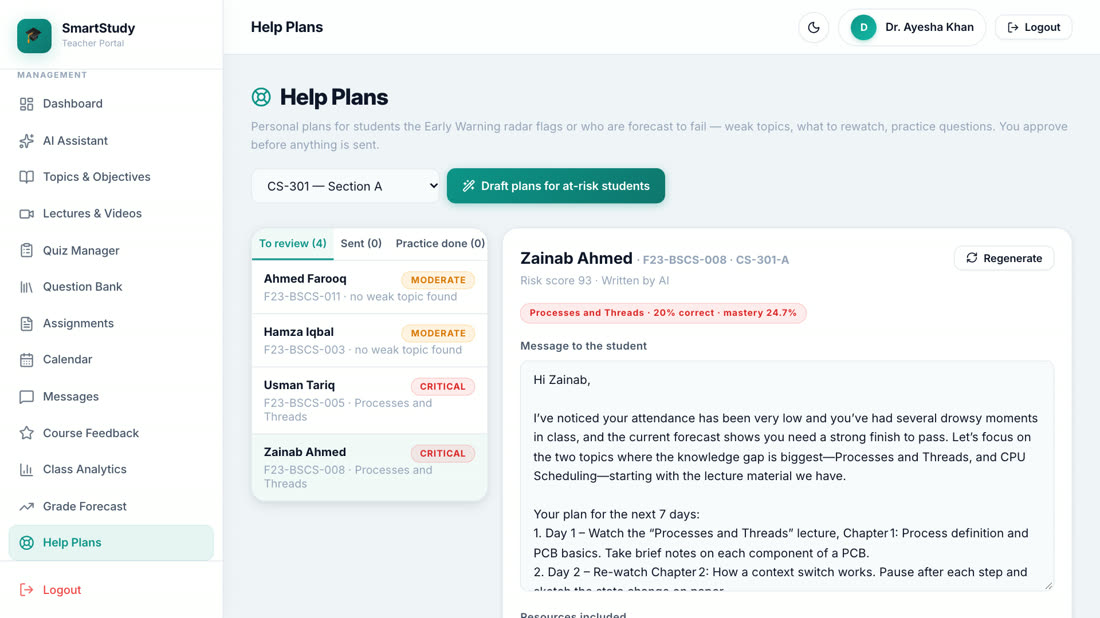
The AI drafts a plan for an at-risk student; the teacher approves it before it is sent.
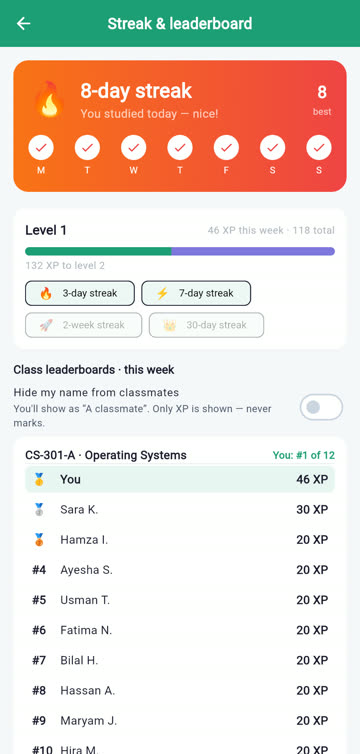
Deadlines calendar, a planner, effort-only streaks and "what do I need in the final?".
One platform, three apps
Flutter · Android · iOS · Web
React · runs in the browser
React · role-based
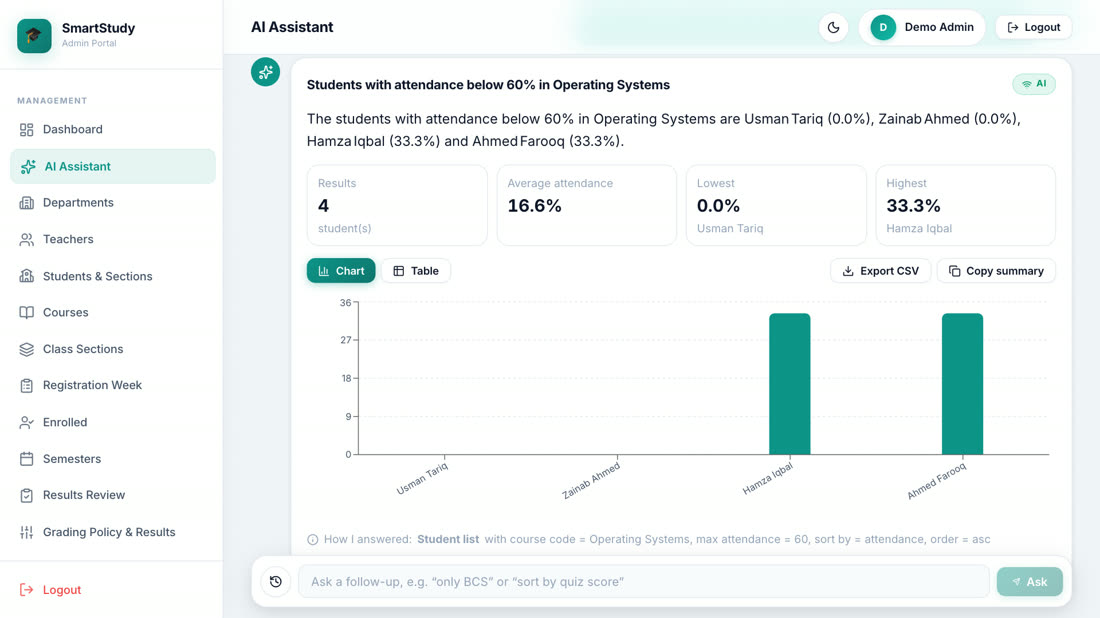
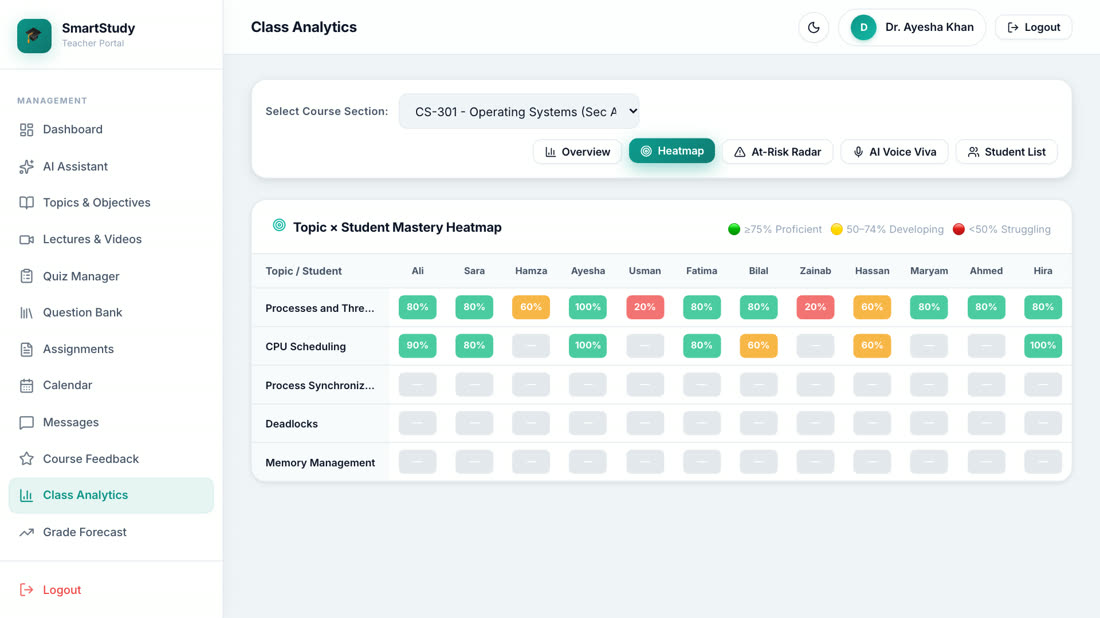
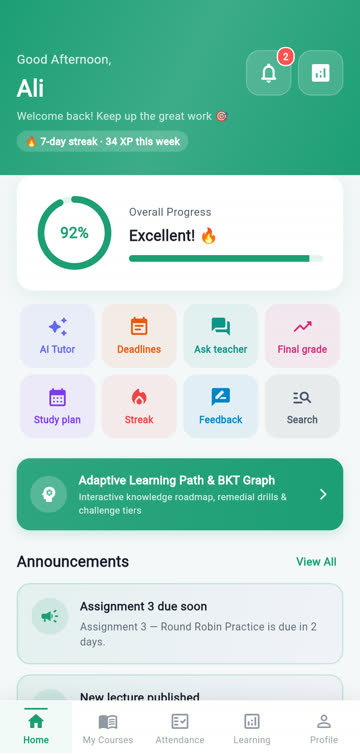
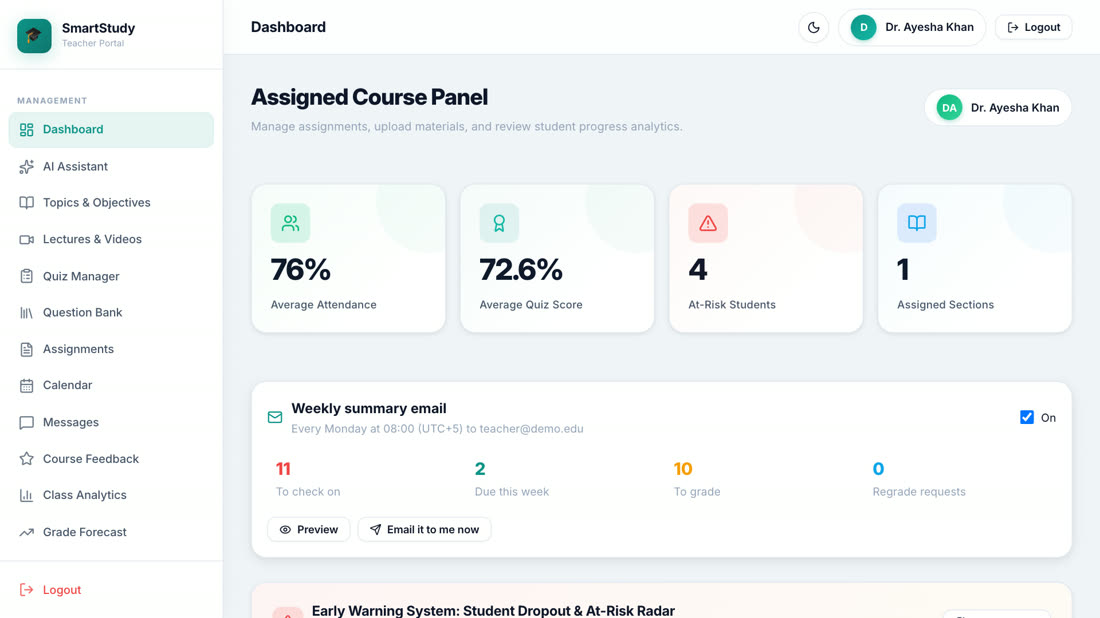
Screens from the running system
Drag, scroll or use the arrows. Click any screen to enlarge it.
Architecture
Hover or tap a part to see what it connects to.
Security & reliability
Mandatory for admins and teachers, with authenticator apps and recovery codes.
15-minute access tokens, rotating refresh tokens, sign out other devices.
Lecture videos and uploads are served only to signed-in, enrolled users.
The attention engine keeps scores only; consent is asked first.
Brute-force protection, idle timeouts and security headers.
Renders, transcripts and emails survive restarts and finish on their own.
One-click backup and restore; every admin action is recorded.
Docker Compose, Alembic migrations and a full demo semester in one script.
Demo
The demo video is in the project at demo/SmartStudy_demo_backup.mp4. Open this website from the project folder to play it here.
The team
A Final Year Project at COMSATS University Islamabad, Wah Campus.
FAQ
Can't find something? Every part is documented in the project's README and GUIDE.
Writing the script takes a few minutes and runs in the background — you can close the page. After you review it, rendering a 6–8 minute lecture takes roughly ten minutes, and the portal notifies you when it is saved to your class.
Yes. Every scene's heading, bullets and voice-over are editable before rendering. The script is saved to your account as you type, so you can continue later on any browser.
No. Frames are analysed for attention and identity, and only the resulting scores are stored. Students give consent first, and the engine can run on the phone itself.
Lectures can be spoken in English or Urdu, with Urdu or Roman Urdu captions. The AI tutor also answers in English, Urdu or Roman Urdu.
Only the lecture material as a PDF (or pasted text). An avatar photo is optional; without one the default presenter is used.
The early-warning radar combines lecture attendance, webcam attention, knowledge-tracing mastery and missed deadlines into one risk score, and lists the reasons — so the teacher knows what to do, not just who to worry about.
Open the portal, upload a PDF and watch your first AI lecture take shape.